Progress Blog #1
Date: 1/17/23
Project Name: Buffs Beyond Borders
Elevator Pitch: Buff Beyond Borders is designed to revamp the Education Abroad website created by CU Boulder. This project will implement an interactive map for students to explore their options for studying abroad more effectively and improve the website’s looks.
- What did you accomplish, please reflect on your time management. What worked or didn’t?
- During this first week, I think the most important part is to explore what I want to implement into the study abroad website. This can include looking at the Test Builder Website provided by the study abroad website.
- How did you integrate feedback?
- I did not receive any feedback this week.
- What was unexpected / what lessons did you learn?
- I think it was a little unexpected that I needed at least two mentors for my final capstone project but luckily I already had people in mind that I just need to reach out to.
- What are your goals for the week ahead?
- I will begin working on my project in the next week. I also need to prepare my contacts with my mentors and study abroad students. Thus, I will need to set up meeting dates with each of them very shortly whether through email or text messages.
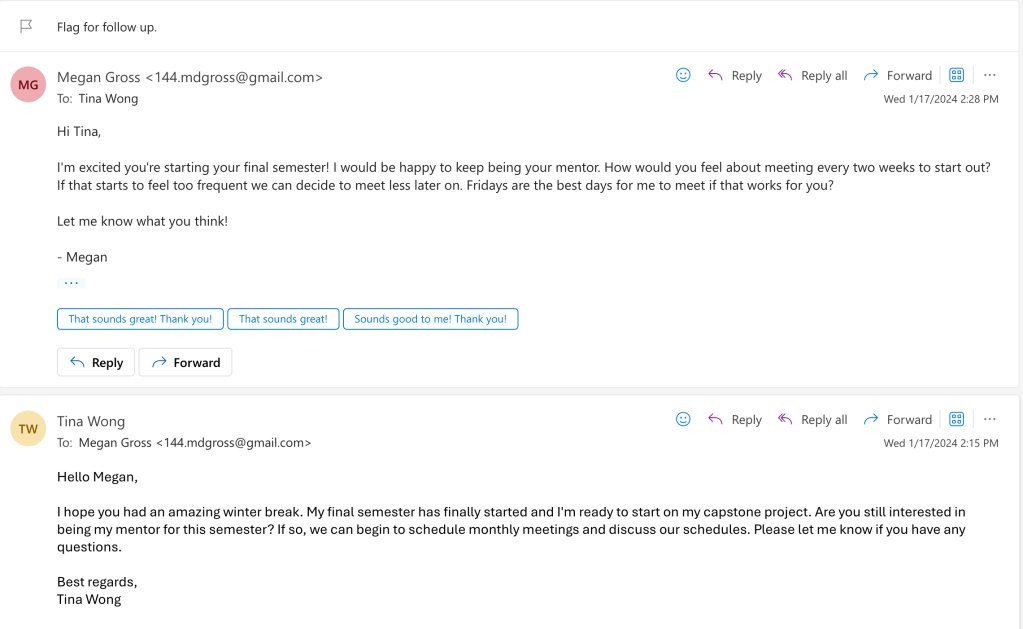
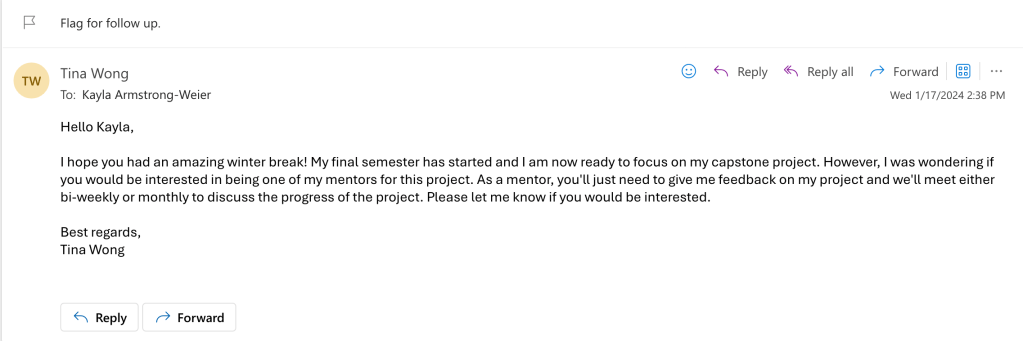
- Below is an email that I sent out to my mentor #1 and mentor #2:
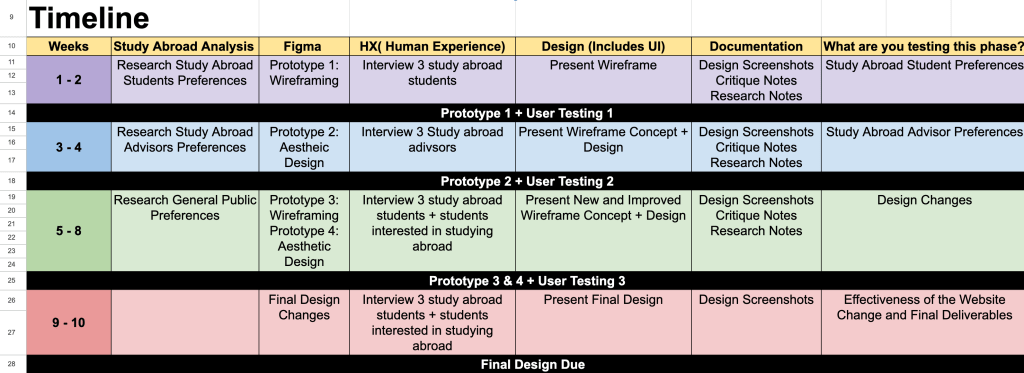
Project Timeline:
Note: Study Abroad Test Builder Website is recommended for me to use by the study abroad advisor who looks over the website management. This website will allow me to create and design the website using the pre-loaded CU Boulder Branding and give me ease when assembling it. However, it is uncertain what the Test Builder website can contain, what is limited, and what isn’t.
Week 4: Iteration 1
Create a wireframe design and test the study abroad builder website’s compatibility. Present the wireframe to study abroad students and ask for critique.
Week 7: Iteration 2
Create an updated wireframe with some interactable components implemented using the critique from the previous week. Attempt to implement the majority of the wireframe onto the study abroad builder website. Present the wireframe to study abroad advisors and ask for critique.
Week 10: Iteration 3
Create an updated wireframe with all components implemented and finalize implementations on the study abroad builder website. Present the wireframe to study abroad students and students who are interested in studying abroad and ask for critique along the way.
Week 11: Final Design
Update the final wireframe and complete all final changes on the study abroad builder website.
Progress Blog #2
Date:1/24/23
- What did you accomplish, please reflect on your time management. What worked or didn’t?
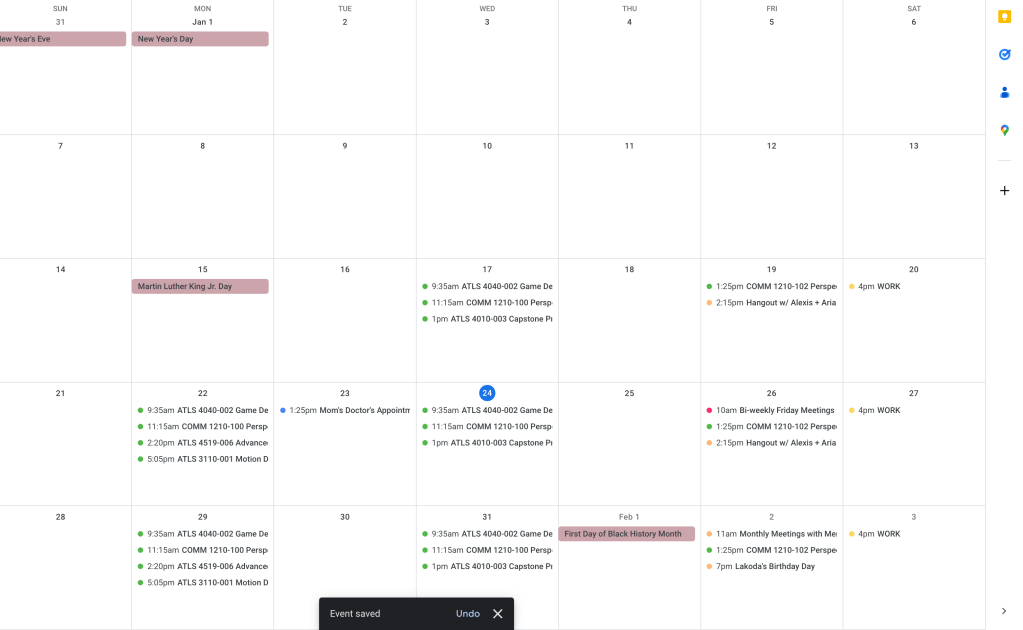
- During this week, I have set up dates and times for when I will meet my mentors and added those to my calendar. Those are listed as such: bi-weekly meetings with Megan Gross starting 1/26/23 at 10AM and then monthly meetings with Kayla Armstrong-Weier near the end of the month beginning on 2/2/23 at 11:00AM. I need to meet with Megan Gross before fully investing my time in my project so that I can discuss where to start. Listed below are the questions and objectives that I need to be clarified during the meetings with mentors.
- Megan Gross
- Programs are always being added and removed, is there a way to maintain and upkeep the programs?
- Advise using Web Express or not?
- Discuss what I should have included in the web design.
- Kayla Armstrong-Weier
- How often are the programs being added and removed?
- When is the next meeting? (Let her know that everything needs to be done before spring break)
- How to use Web Express(Test Builder Website)?
- How to access all the education abroad information?
- Ask if they have an API? Database?
- Megan Gross
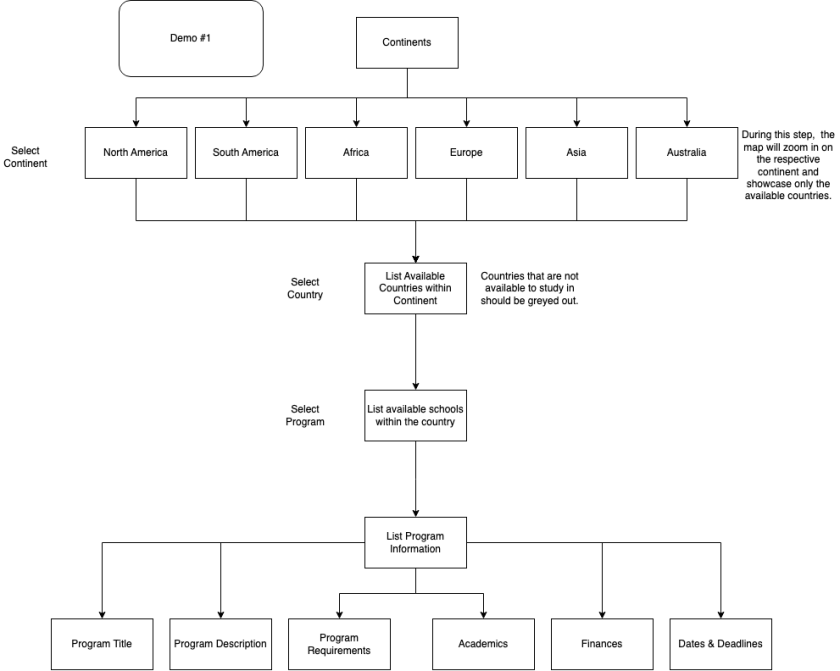
- For this week, I also worked on a flowchart and compiled all the information from the website that I plan to incorporate into my Figma design so that I had something to show my mentor and work with her to figure out where I need to actually begin.
- During this week, I have set up dates and times for when I will meet my mentors and added those to my calendar. Those are listed as such: bi-weekly meetings with Megan Gross starting 1/26/23 at 10AM and then monthly meetings with Kayla Armstrong-Weier near the end of the month beginning on 2/2/23 at 11:00AM. I need to meet with Megan Gross before fully investing my time in my project so that I can discuss where to start. Listed below are the questions and objectives that I need to be clarified during the meetings with mentors.

- How did you integrate feedback?
- Megan Gross’s Feedback: She recommended finding out if the Education Abroad website uses an API or has a database that I can draw information from to implement it onto my own website. Otherwise, I would have to build it all from scrap and scrape their education abroad website for information. On another note, we also talked about a planning tool where we can keep track of progress(work to be done, in progress, finished work, etc.). I think the best way to integrate this feedback is to talk to Kayla Armstrong-Weier about their website.
- What was unexpected / what lessons did you learn?
- I think what was most unexpected about this week was how I had to think about how to implement a system that can update the website so that this doesn’t become a project that is only a one-time use. I also have a lot of information that needs to be put together into one file so that I can use it for this project.
- What are your goals for the week ahead?
- For the upcoming week, I will be meeting with my mentor #2. I will also have a quick template of the website demo created on Figma. This will only showcase one option from all the continents, countries, and programs so that I can discuss further implementations with my mentor. The option that I will demo for my mentor would be choosing the continent, Asia, and then choosing the country, Singapore, and then lastly the program, National University of Singapore.
Progress Blog #3
Date: 1/31/23
- Mentor #1: Megan Gross
- Email Address: 144.mdgross@gmail.com
- Professional Relationship: ATLAS Staff, has experience with web development
- Mentor #2: Kayla Armstrong-Weier
- Email Address: kayla.weier@colorado.edu
- Professional Relationship: Education Abroad staff, has experience with the education abroad test builder website
- What did you accomplish, please reflect on your time management. What worked or didn’t?
- I have started moving my flowchart onto a Figma board and creating two different website versions. The first option is CU Boulder formatting and the second option is more of a personal color palette.
- User Testing Questions
- What do you think of the aesthetic of the website?
- Thoughts on the line thickness of the maps?
- How easy is it to understand how to use the website?
- What do you think of the aesthetic of the website?
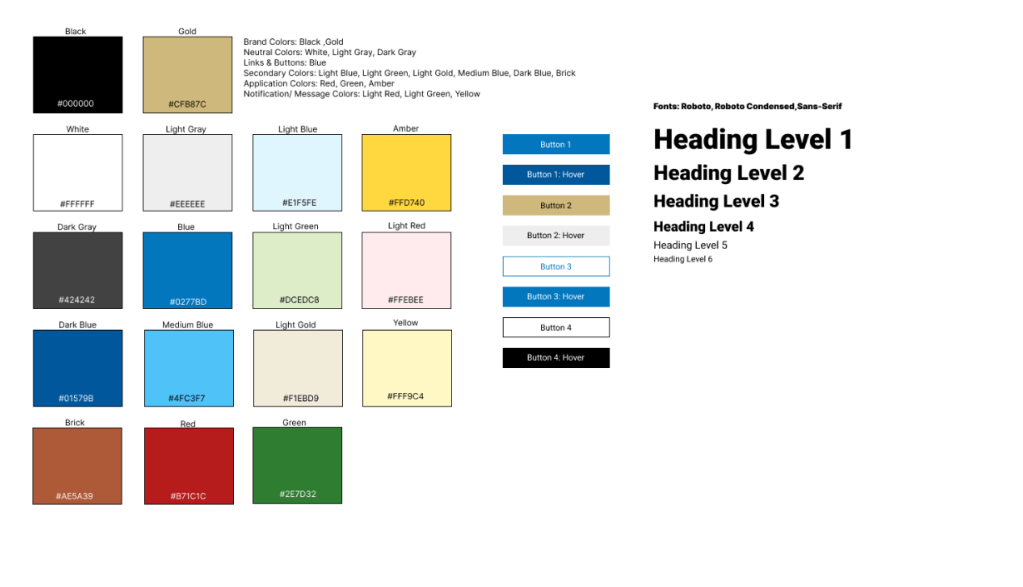
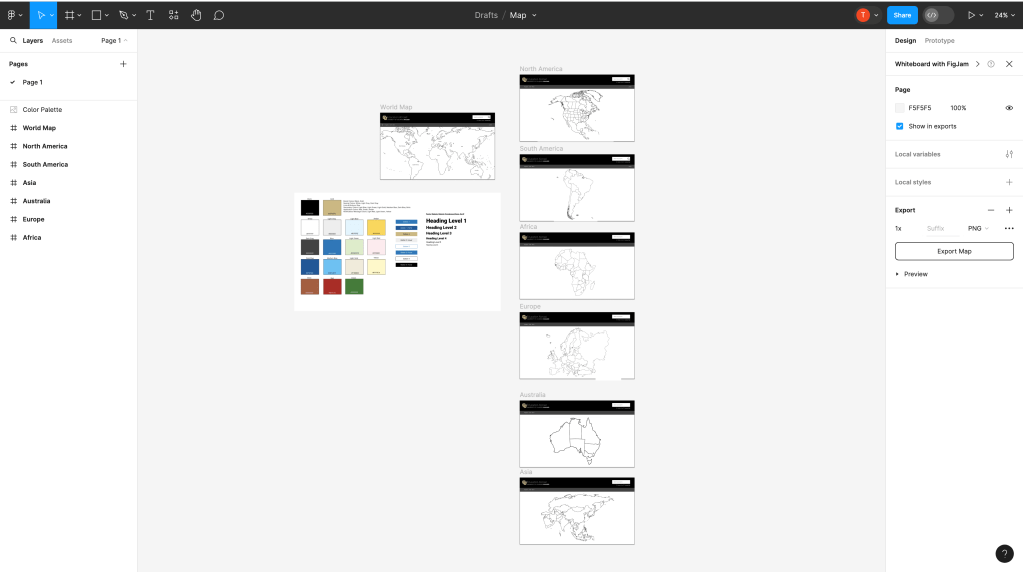

- How did you integrate feedback?
- User Feedbacks:
- User #1(Classmate): The map outlines make sense for thicker lines on small continents and thinner lines on bigger continents. The maps also depend on the number of countries in them.
- There is no back button to go to the previous page.
- User #2(Classmate): The font is a little small to read, The map is cut off on the world map page, adding a splash of color could make the experience more engaging for users.
- User #3(Study Abroad Student):
- Probably color coordinates each continent. On the first slide where it shows the world map, it just seems naked. Possibly making the lines sharper would make it look nice. Also to make the text of each continent bigger. There are a lot of just dots that look weird for some reason. Like they were just placed there. Are those countries? After clicking to a continent, there is no option to get out of it to go back to the world map. So possibly add that. Maybe have some labeling of some sort of the countries and where you could study abroad. Have pins to those places on the map and when they hover over the pin a small summary info pops up and then if they want to learn more, then they click on it and it brings them to the programs page. Also maybe have a rating part of the schools. So students who are confirmed abroad students from that place can rate their experience and interested students can then read those reviews and possibly look at pictures from those students time there as well. I think adding some interesting button animations and/or using the color scheme you have in it as well. It’s just really plain at the moment. The world map just looks a bit sloppy.
- User #1(Classmate): The map outlines make sense for thicker lines on small continents and thinner lines on bigger continents. The maps also depend on the number of countries in them.
- Mentor Feedback: I managed to ask the education abroad mentor about the website from the last blog post and I am waiting for them to reach out to the website coordinators to assess those questions.
- User Feedbacks:
- What was unexpected/ what lessons did you learn?
- I did not have a fully completed website design by 1/31/2023 for user testing. However, based on the feedback, I have added what I originally planned to add to the website as well as further parts and changes.
- What are your goals for the week ahead?
- For the week ahead, I plan to have a fully completed Figma design for users to test again and see what their feedback is from the previous and new versions of the design as well as make the Figma more consistent throughout to make it high-fidelity.
Progress Blog #4
Date: 2/7/2023
- What did you accomplish, please reflect on your time management. What worked or didn’t?
- Beginning of Week 4, I presented my progress on this project to my peers and professor. I managed to create a low-fidelity Figma to display what I had intended for my map’s homepage.
- How did you integrate feedback?
- Here is the feedback given to me by my professor:

From this feedback, I plan to incorporate a little more color onto the web page in places that I think would work the best. I also plan on furthering the selection process of choosing a continent, country, and then a program.
- What was unexpected/ what lessons did you learn?
- I think this week has been the most stressful out of all the weeks due to coming down with a cold. It was tough to get almost anything done, but I did my best with the amount of time I had to rest and balance my schoolwork.
- What are your goals for the week ahead?
- For the week ahead, I plan to fully design my Figma and prepare to get a 2nd iteration of feedback from a more diverse range of people(study abroad students, advisors, etc).
Progress Blog #5
Date: 2/14/24
- What did you accomplish, please reflect on your time management. What worked or didn’t?
- Week 5 has basically been a work week for me. I decided to create a second Figma so that students can compare and contrast the new one and the old one. I have also changed the navigation bar so that the second one matches more of the theme of CU Boulder. The first Figma uses the navigation bar that the Education Abroad website uses. I think I am more drawn toward the second Figma that I created since it is much cleaner and I’ve spent a lot more time on it than the first one. I think all I need is for students to choose if they prefer which navigation bar looks better and if it’s better to use multiple colors or a single color to highlight places. I have also prepared the questions for student feedback.
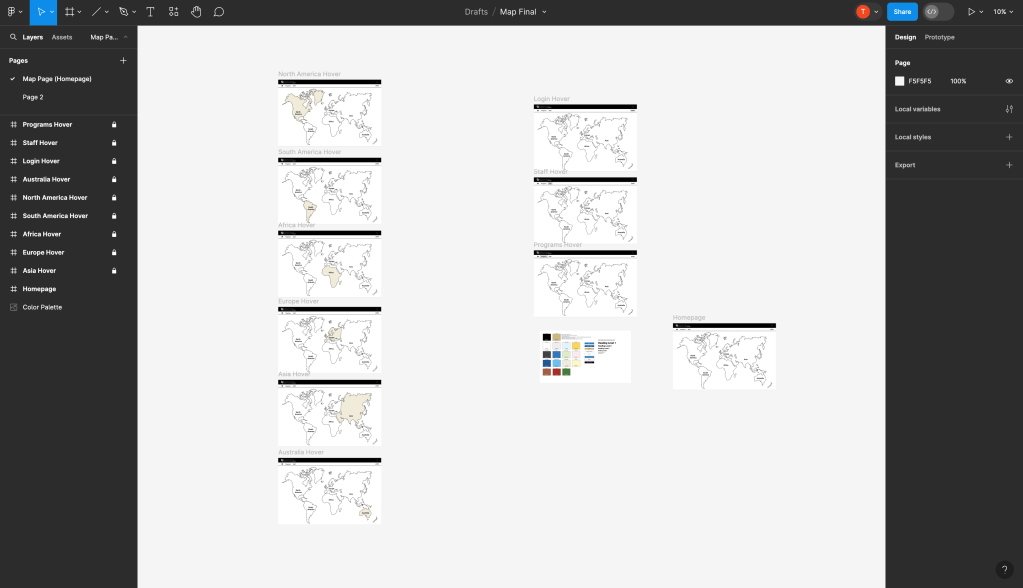
Below are the links to both of the Figmas that I have been working on.
- Questions for Future Feedback:
- How easy is it to use the Figma?
- What color preferences do you prefer between the first iteration and the second?
- Is there anything bothering you when you use the Figma webpage?
- Which of the two navigation bars do you prefer to use?
- What was unexpected/ what lessons did you learn?
- I think what was most unexpected was that I was able to procure a world map that has illustrator files through Adobe Stock. This definitely saved me a lot of time on creating the world map and has allowed me to color in the map more effectively rather than drawing the anchor points one by one until I managed to get the entirety of the map. This was what I had to do in the first iteration.
- I also had a difficult time deciding where to split Europe and Asia for my world map. As much as I want to go into detail, I did not feel like it was much needed for this assignment.
- How did you integrate feedback?
- I was unable to meet with my mentor last week since both of us were unwell to meet. Thus, I did not have much feedback to work with except for the feedback from the previous week (see previous blog post).
- What are your goals for the week ahead?
- For the week ahead, I plan to further my Figma design and either create the entirety of it or create a second version to receive a more specific type of feedback.
Process Blog #6
Date: 02/21/23
- What did you accomplish, please reflect on your time management. What worked or didn’t?
- For this week, I have emailed at least 5 students to respond to my questions about my designs. I hope that out of the 5, I receive 3 responses at least so that I have feedback to work with.

- With the feedback, I have changed what I needed to in my 2nd Figma design.
- Added back color to the map
- Changed the navigation bar to the one in the 1st Figma
- Adjusted the lines between Europe and Asia
- Once feedback had been inserted, I started to go on to the next stages of developing the design, which was adding more detailed continent maps, and then country maps for a specific region, linking those counties to programs on the current Education Abroad website.
- What was unexpected/ what lessons did you learn?
- I think it was unexpected the amount of time it took to edit the maps to fit what I wanted the map to look like. Specifically the coloring, the lines and even creating the country portions of the map.
- How did you integrate feedback?
- Mentor Feedback: Kayla Armstrong-Weier
- She preferred Figma #1 because it was much more similar to the current education abroad website than Figma #2. Thus, I needed to change the navigation bar for Figama #2 to be like Figma #1 and add colors other than the CU Boulder Gold to match the current generation of students’ preferences. Consider adding a zoom feature so that all the programs won’t be too clustered together, for example, Europe.
- Mentor Feedback: Megan Gross
- It might be important to consider the political views of the audience by creating a more defined line between Europe and Asia so that the audience won’t get offended by the line separation. On another note, it is best to get started on the coding process if I want that to be part of the finished product.
- Mentor Feedback: Kayla Armstrong-Weier
- What are your goals for the week ahead?
- I hope to meet with both of my mentors this week receive a more professional type of feedback and discuss the next steps. I also hope to receive feedback from the students whom I sent emails this week to have a more diverse round of feedback this time. I also plan to implement that feedback as soon as possible so that I can present it in the next presentation.
Progress Blog #7
Date: 2/28/24
What did you accomplish, please reflect on your time management. What worked or didn’t?
- To begin the week, I presented my progress blog to my peers and professor. The progress presentation talks about how I created a second Figma and a third Figma design and with the feedback from my mentors I’ve developed somewhat of a functional prototype.
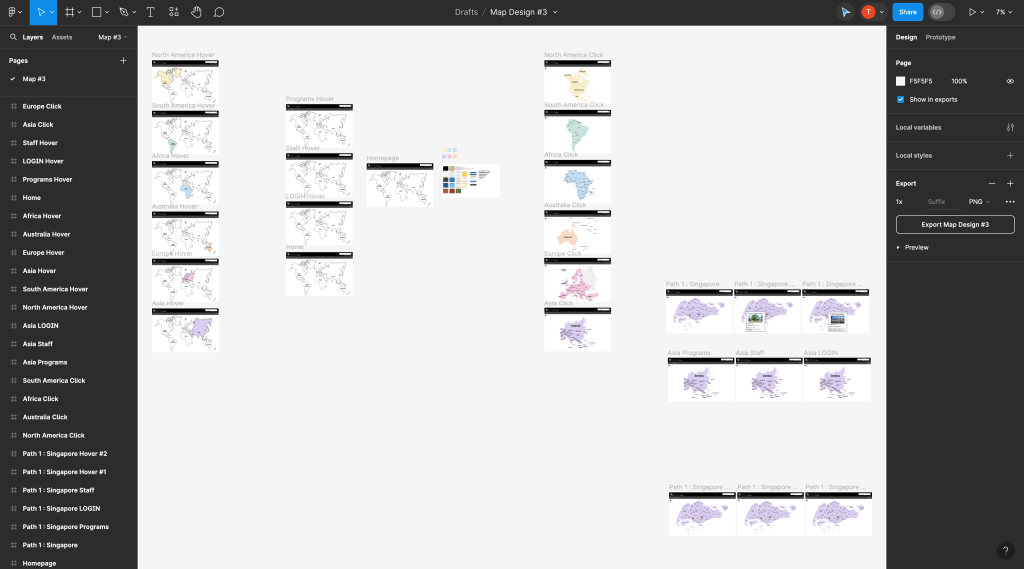
- Below is Figma #3; this is what all the feedback I’ve received turned into.
What was unexpected/ what lessons did you learn?
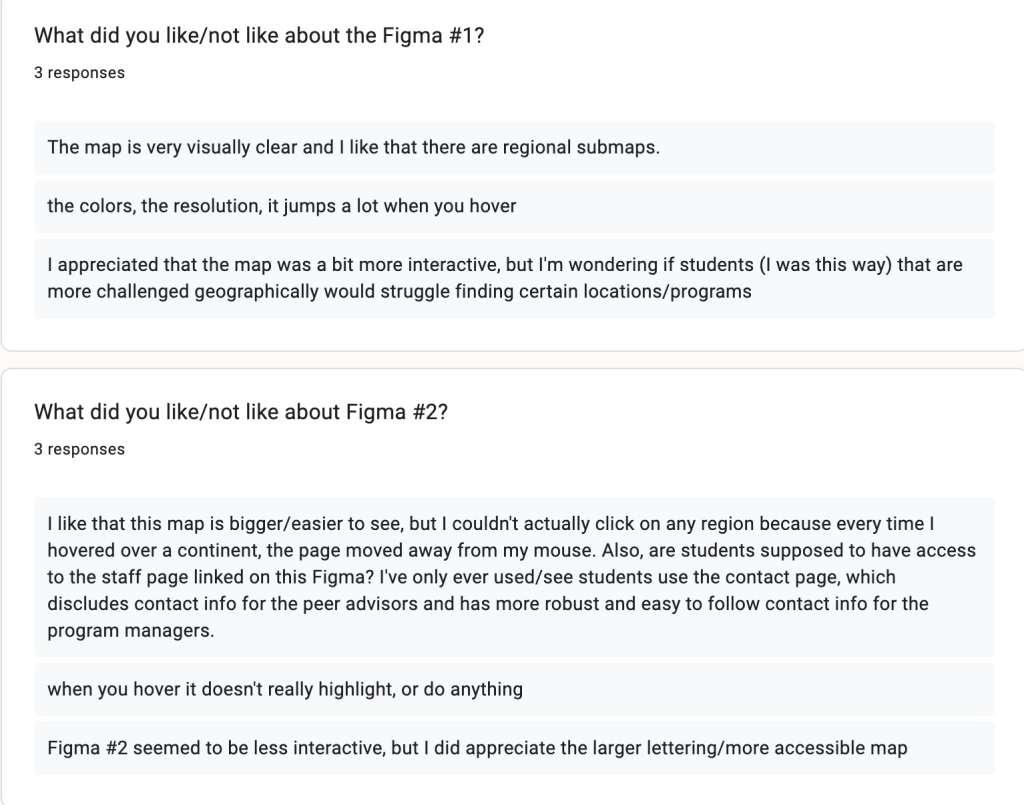
- I took the chance to look at the Google Forms that I created to see if I got any responses from the previous week. Surprisingly, I got a total of 3 responses through email and was not expecting that.
- Here are the results:



How did you integrate feedback?
- I plan to integrate feedback, I plan to make a more detailed map with subregions and start the map with color. I believe these two are the most essential to incorporate into this map design.
What are your goals for the week ahead?
- I believe for the week ahead, I hope to talk with my mentors and discuss my progress with them talk about their thoughts on my Figma Design #3, and implement the feedback I received from the study abroad students.
- Set up a basic MapBox webpage
Progress Blog #8
What did you accomplish, please reflect on your time management. What worked or didn’t?
- For this week, I created a MapBox webpage and added a simple navigation bar that is constant with the page.

What was unexpected/ what lessons did you learn?
- I found that making the navigation bar and adding the logo to the page is pretty difficult to do but I need to move on from this and start working on my actual capstone on Figma. Although, it was quite interesting figuring out how to set up MapBox correctly and get it to work. I think in the future, if I want to proceed with Mapbox, I would need to spend more time on it and figure out how to set up markers and change the styles of the Map.
- I think it is possible to keep an updated page of the entire study abroad program by editing the spreadsheets of all the programs and organizing the information of each program into more specific and necessary categories.
How did you integrate feedback?
- I integrated Mapbox as suggested by my Mentor.
What are your goals for the week ahead?
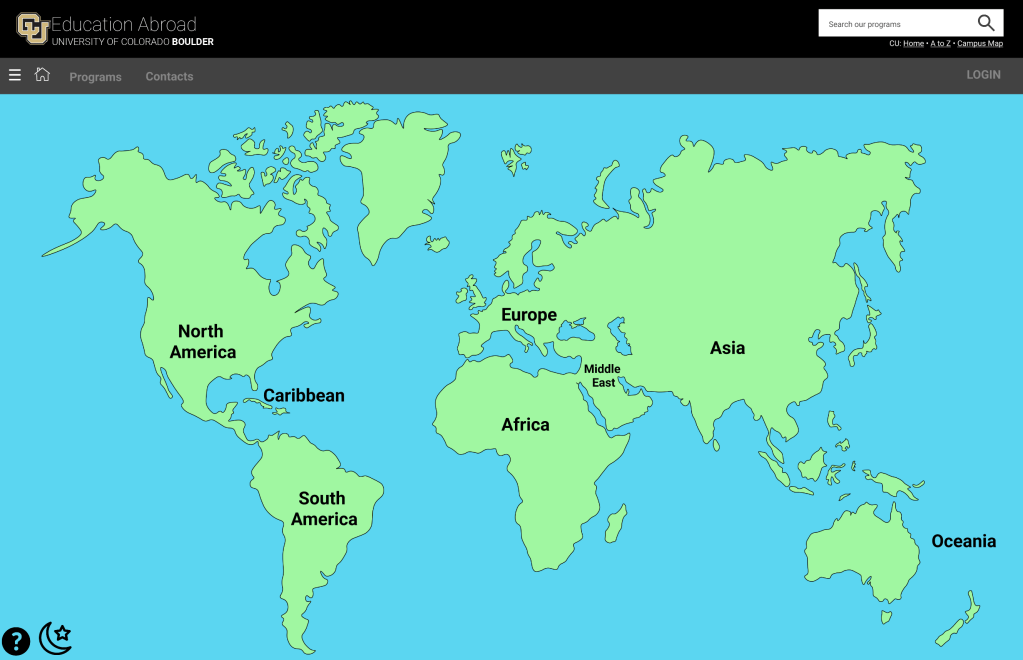
- Complete Figma Design w/ added features (Sidebar, Subregions, Guide, Light + Dark Mode)
Progress Blog #9
- What did you accomplish, please reflect on your time management. What worked or didn’t?
- `I worked on changing the homepage, added + fixed 3 regions (Oceania, Middle East, Caribbean), added 1 more program to click through, Added a ‘how to’ to instruct how to use the website, a drop-down menu to contain the rest of the website, and a light + dark mode.


- What was unexpected/ what lessons did you learn?
- It’s really hard to pinpoint specific maps such as the subregions (Middle East, Oceania, Caribbean).
- How did you integrate feedback?
- Originally I had a black text for the dark mode and it wasn’t very accessible since its hard to read dark text on a dark background. Thus, I changed the font to white text on a dark background.
- The colors are also very contradicting, some are very saturated and some aren’t.
- What are your goals for the week ahead?
- Preparing for progress presentation #3 and working more on the capstone project.
Progress Blog #10
- What did you accomplish, please reflect on your time management. What worked or didn’t?
- I presented my progress presentation #3.
- What was unexpected/ what lessons did you learn?
- I found it unexpected that I spent a lot of time editing the maps and cutting each part to make it the way I wanted it on the design.
- How did you integrate feedback?
- The drop-down menu seems to be unnecessary? What does it add to the website?
- Will there be a phone version of the website?
- Very saturated website and a lot of color… However, a lot of color fits the audience I am trying to reach. Perhaps create a smaller mix of colors and keep it consistent throughout.
- What are your goals for the week ahead?
- Discuss final meetings with mentors! Finish project!
Progress Blog #11
What did you accomplish, please reflect on your time management. What worked or didn’t?
- I presented my dress rehearsal.
What was unexpected/ what lessons did you learn?
- As I was working through my project’s final changes, some of the colors on the map came out weirdly. For example, the blue would be a different hue occasionally and wouldn’t match the rest of the design.
How did you integrate feedback?
- I’ve created the maps to all have the same fonts and a more consistent design throughout the maps. I still need to make a few changes to make it visually appealing to whoever uses this design.
What are your goals for the week ahead?
- Show my final project off to my mentors. Make final small changes.
Progress Blog #12
Documentation Time:
- 5 Static Asset
- 1 Video Asset
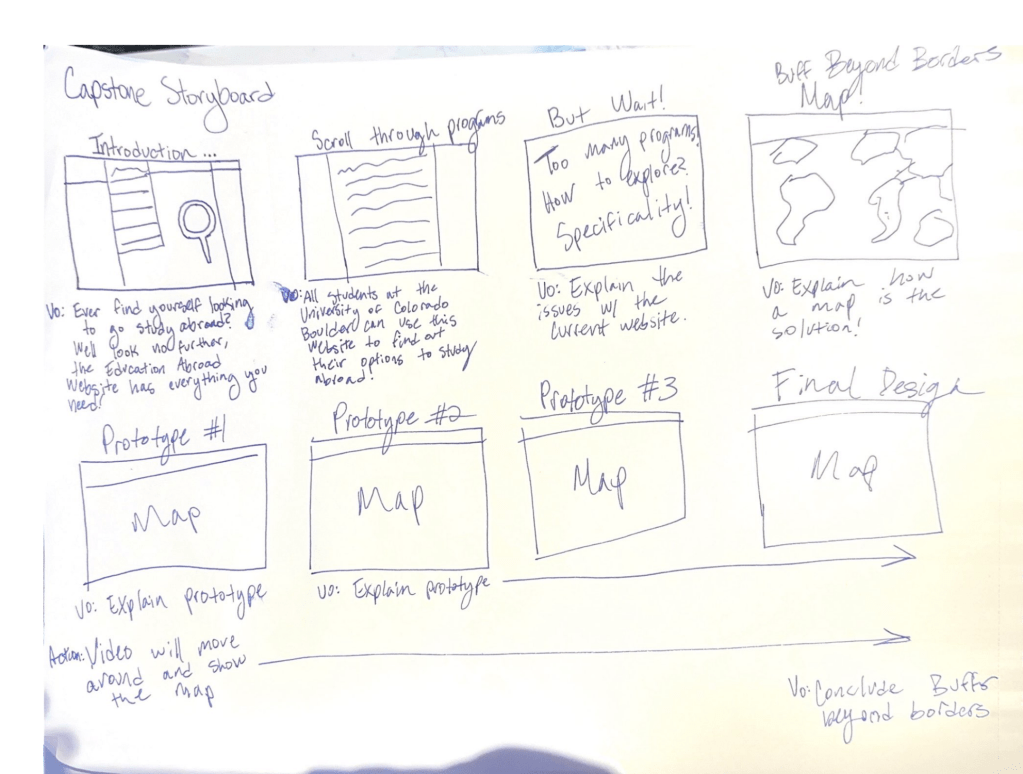
- 1 Storyboard


Progress Blog #13
Here is a rough cut of my video. I plan to add more sound-specific moments, transitions and animations.
 Tina Wong
Leave a comment